AI test automation
From Zero to Automated: How Startups Can Build a QA Process with AI from Day One
Discover how startups can automate QA from day one with AI-powered testing, self-healing automation, and CI/CD integration.
9 min read
Most startups ignore QA until something breaks in production.
A customer screenshots a bug. A demo goes sideways. A payment flow fails at 2am on a Friday. And then only then does someone say we need a testing process.
By that point, the cost is already real. The trust is already damaged. And building a QA process on top of existing technical debt is twice as hard as building it from scratch.
Here is the thing nobody tells early-stage teams: you do not need a QA engineer on payroll to have a serious AI QA process. You do not need months of setup. You do not need a dedicated testing environment before your first sprint.
With the right AI-powered QA platform, startups can have automated testing running from day one built around requirements, not scripts, and without a team of automation engineers to make it work.
This article is a practical guide for founders, CTOs, and early engineering leads who want to build test automation for startups the right way, before the bugs find their users instead of the other way around.
Why Startups Skip QA
The reasons are always the same.
We move too fast. Every sprint is already a sprint. Adding a testing process feels like adding a speed bump.
We do not have the people. A two-person engineering team cannot also staff a QA function. Writing Selenium scripts is a full-time job on its own.
We will do it when we scale. This is the most common one. And it sounds reasonable right up until the moment you are scaling and your codebase has no test coverage and every new feature risks breaking three things you cannot see.
The startup QA problem has always been a resource problem. Building a traditional test automation framework requires time, money, and specialized engineering skills that early teams simply do not have.
AI changes that equation entirely.
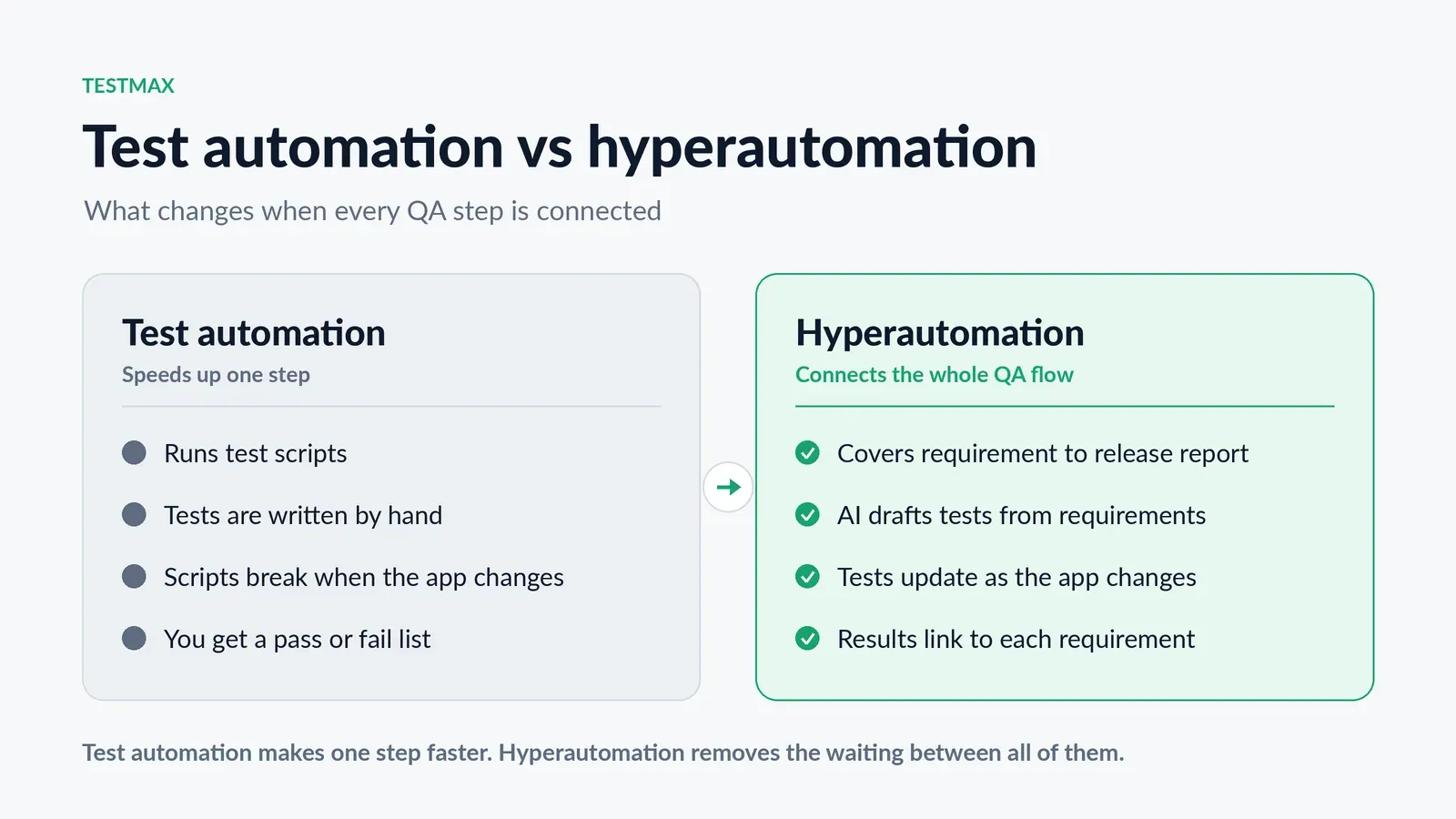
Automated software testing platforms powered by AI do not require an automation engineer to write scripts. They do not require weeks of setup. They generate test cases from the requirements your team is already writing, build the scripts automatically, run them without manual intervention, and give you results linked directly back to the original requirement.
The startup that used to need a QA hire to get automated testing now needs a platform and a process. That is a very different conversation.
The Right Time to Start Is Earlier Than You Think
Startups often postpone QA, viewing it as a concern for later stages like Series B, when a dedicated engineering team is in place.
That instinct is understandable. It is also expensive.
Here is what happens when you delay:
- Every sprint adds untested code on top of untested code
- Regression testing becomes impossible without automation because there is too much to check manually
- New engineers cannot confidently change old code because nobody knows what it was supposed to do
- Your first enterprise customer asks for test coverage documentation, and you have nothing to show them
The best time to start an AI QA process is when your product is small and your requirements are simple. At that stage, setting up automation takes hours, not months. The test suite grows alongside the product instead of being retrofitted onto it.
The second-best time is right now.
What Startups Actually Need from a QA Process
Before getting into how to build it, let us be clear about what a startup QA process needs to do because it is different from what an enterprise QA process needs to do.
It needs to be fast to set up. A startup cannot spend six weeks building a testing framework before writing a single test.
It needs to work without specialists. Not every early engineering team has an automation engineer. The process has to work with the people you have.
It needs to scale with the product. A QA process that works for ten features needs to still work for a hundred features without a complete rebuild.
It needs to connect to where your team already works. If your team uses Jira or Azure DevOps for requirements, your testing should come from there not from a separate system that requires duplicate effort.
It needs traceability. When a bug reaches production, you need to know what requirement it came from, what tests were supposed to cover it, and why they did not catch it.
A traditional automation framework meets maybe one or two of these criteria. AI-powered QA that starts from requirements meets all of them.
How to Build Your Startup QA Process with AI: A Step-by-Step Approach
Step 1 — Write Requirements Before You Write Code
This sounds obvious. It is less common than you think.
Many early startup teams work from rough Slack messages, verbal agreements in standup, or half-written Jira tickets. That is fine for moving fast. It is a problem for testing, because you cannot automate testing for something that was never written down.
The first step in any startup QA automation process is making requirement writing a real discipline. Not long, formal specs just clear, specific acceptance criteria attached to every user story.
What should happen when the user does X? What should happen when they do Y with invalid input? What is the expected state after the action completes?
These are not hard questions. They take five to ten minutes per story. And they are the input that makes everything downstream possible.
If your team already writes user stories in Jira or Azure DevOps, you are most of the way there. TestMax AI connects directly to both, so the requirements your team writes become the starting point for automated testing without any additional work.
Step 2 — Let AI Validate Your Requirements First
Before tests are generated, the requirements need to be testable. This is where most startup QA efforts fall apart not because the tests are wrong, but because the requirements they were built on were vague.
The user should be able to upload a file is not a testable requirement. What file types? What is the size limit? What happens when the upload fails? What is the success state?
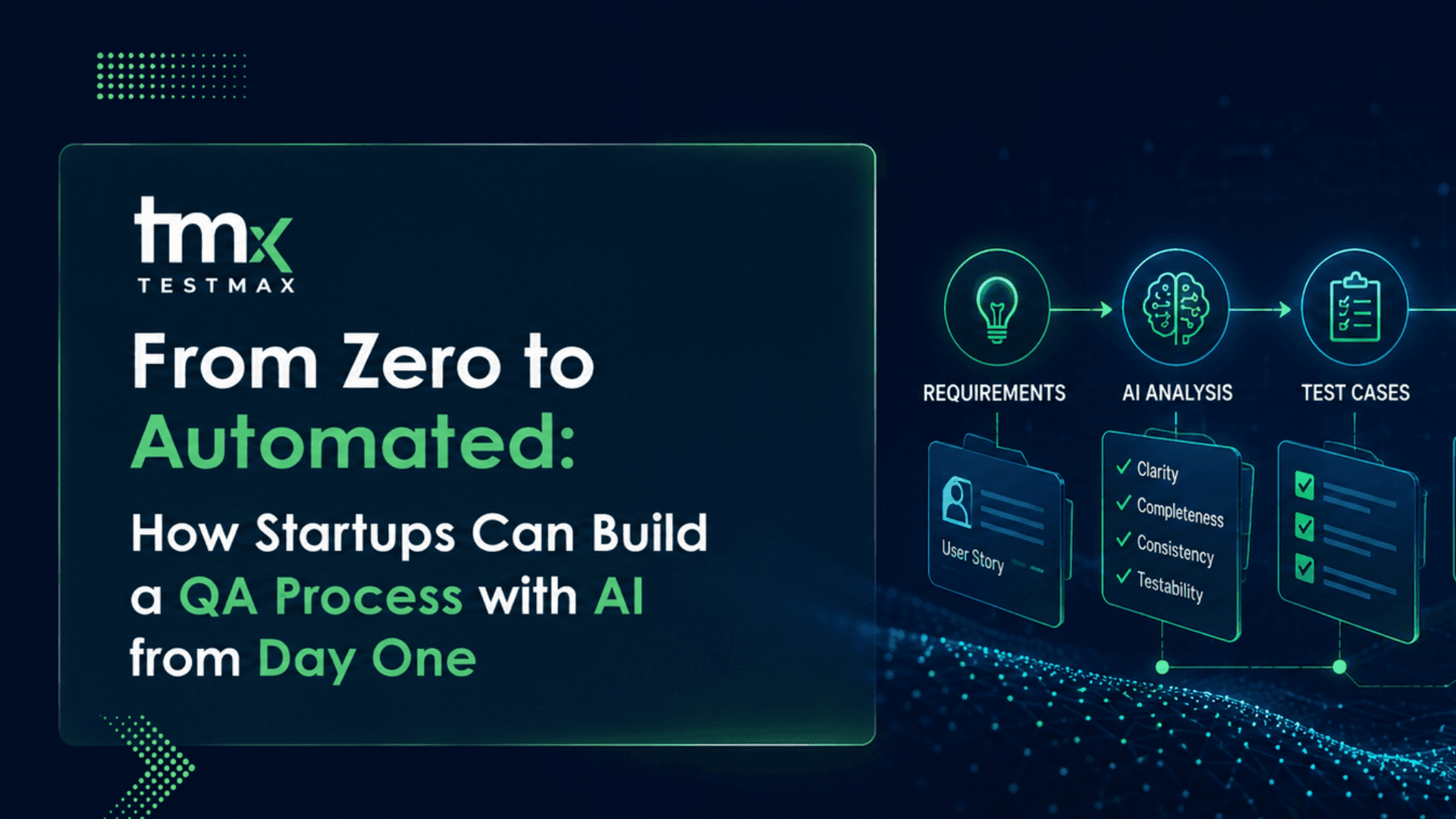
AI-powered QA platforms like TestMax AI run every requirement through an automated quality check before generating tests. They flag ambiguous language, identify missing edge cases, and rewrite weak criteria before any test is created. This step takes seconds. The alternative catching a vague requirement after development is complete costs days.
For startups, this is especially valuable because the people writing requirements are often the same people building the features. Requirements written by developers tend to be written from an implementation perspective, not a user or test perspective. AI validation catches that gap early.
Step 3 — Generate Test Cases and Scripts Automatically
Once requirements are validated, the AI generates test cases. Not just the obvious ones the full set of positive paths, negative paths, edge cases, and boundary conditions that complete coverage requires.
Those test cases are then converted into executable scripts automatically. No automation engineer is required. No Selenium or Playwright knowledge is needed. The platform handles it.
For a startup with ten user stories in a sprint, this can mean a complete test suite generated and ready to run in under an hour. Compare that to the traditional approach a developer or QA engineer spending two to three days writing the same scripts manually and the efficiency difference is stark.
This is what automated software testing looks like when AI handles the mechanical layer.
Step 4 — Run Tests in Your CI/CD Pipeline
For startups using modern deployment workflows GitHub Actions, CircleCI, Jenkins, or similar connecting AI-generated tests to your pipeline is straightforward.
The goal is simple: every time code is merged, the relevant test suite runs automatically. Failures are caught before they reach staging. Your engineers get feedback within minutes, not days.
This is continuous testing in CI/CD and it is the point at which your startup stops finding bugs in production and starts finding them before they ship.
For a team of three to five engineers, this setup takes an afternoon to configure. The payoff is a testing process that runs automatically on every deployment, without anyone managing it.
Step 5 — Let Self-Healing Handle Maintenance
One of the biggest hidden costs of traditional test automation is maintenance. Every time the UI changes, scripts break. Someone has to fix them. On a startup team, that someone is usually a developer who had other things to do that day.
AI-powered test automation handles this differently. Self-healing test automation detects when a UI element has changed and updates the test script automatically, without human intervention. A button that moved, a field that was renamed, a page that was redesigned the test adapts instead of breaking.
For startups, where the product changes fast and nobody has time to babysit a test suite, this is not a nice-to-have feature. It is the difference between a QA process that stays working and one that slowly dies because nobody has bandwidth to maintain it.
What This Looks Like in the Real World
Imagine a five-person SaaS startup in Austin, Texas or Cape Town, or Berlin, or Mumbai. They are building a B2B invoicing tool. Two developers, one product manager, one designer, and one founder doing everything else.
Before AI QA: Testing means the product manager clicking through the app before each release, catching whatever they happen to notice, and hoping the developer's manual checks cover the rest. No regression suite. No coverage visibility. Bugs reach customers monthly.
After setting up test automation for startups with TestMax AI:
- Every user story written in Jira gets its acceptance criteria validated automatically before development starts
- After each sprint, AI generates a full test suite covering every new story
- Tests run in CI/CD on every pull request failures are flagged before merge
- The regression suite grows with the product and stays maintained automatically
- When a bug reaches production, there is a full traceability trail showing which requirement it came from and why the tests did not catch it
The team is still five people. Nobody new was hired. The QA process runs in the background while the team builds.
That is what AI QA process setup looks like for a startup that does it right from the beginning.
What AI Still Can't Do for You
AI handles the repetitive work: writing test cases and scripts, running them, and repairing them when the UI changes. People are still needed for exploratory testing, usability calls, and deciding whether something that technically works actually feels right. Plan for a person to own those, even in a team of five.
Common Mistakes Startups Make with QA
Waiting until after Series A. By then, the codebase has months of untested code and setting up automation requires working around technical debt, not with clean requirements.
Hiring a QA engineer before getting a QA platform. A QA engineer without AI tooling will spend most of their time writing and maintaining scripts manually. A QA engineer with the right AI platform can focus on strategy, requirement quality, and edge cases and produce far better coverage.
Treating QA as a phase, not a pipeline. Testing is not something that happens at the end of a sprint. It is something that runs continuously, from requirement to deployment. Startups that treat it as a phase will always be behind.
Skipping requirement discipline because it slows things down. It does not slow things down. It prevents the rework that actually slows things down. Writing clear acceptance criteria before development is the single highest-leverage QA habit a startup can build.
The Bottom Line
Startups do not need a large QA team to have serious, automated test coverage. They need requirements written clearly, an AI platform that turns those requirements into tests and scripts, and a CI/CD pipeline that runs those tests automatically.
That setup is available today. It takes hours to get running, not months. And it scales with your product without requiring additional headcount.
The startups that build this process from day one will ship faster, break less, and trust their codebase more from the first sprint through to the first enterprise customer and beyond.
Start your free 7-day trial of TestMax AI and go from zero test coverage to a fully automated QA pipeline before your next sprint ends.