AI test automation
AI Testing in GitHub Actions: A Complete Setup Guide
A complete setup guide for integrating AI-powered testing into GitHub Actions. Covers prerequisites, workflow configuration, and how TestMax fits into your CI/CD pipeline.
6 min read
Most testing tools start too late. By the time a test case or automation script exists, the questions that actually determine software quality whether the requirement is clear, complete, and testable, and whether it reflects the real application are often already unresolved. When the requirement is weak, the test case inherits the gap, and automation just makes incomplete testing run faster.
TestMax starts earlier than that. It's a requirement-driven AI testing platform: requirements go in, and executed, evidence-backed tests come out, with test design, automation, execution, and reporting connected into one lifecycle instead of scattered across separate tools.
GitHub Actions, meanwhile, is what most teams already use to trigger validation on every push or pull request. This guide covers what it takes to bring the TestMax testing lifecycle into that pipeline, and where the real connection points are.
Why Requirement-Driven Testing Changes What a Pipeline Catches
Three problems tend to limit how much value a CI/CD pipeline actually gets out of automated testing:
- Weak inputs. Requirements are often brief, ambiguous, or missing acceptance criteria, and a pipeline can only validate what the requirements specify.
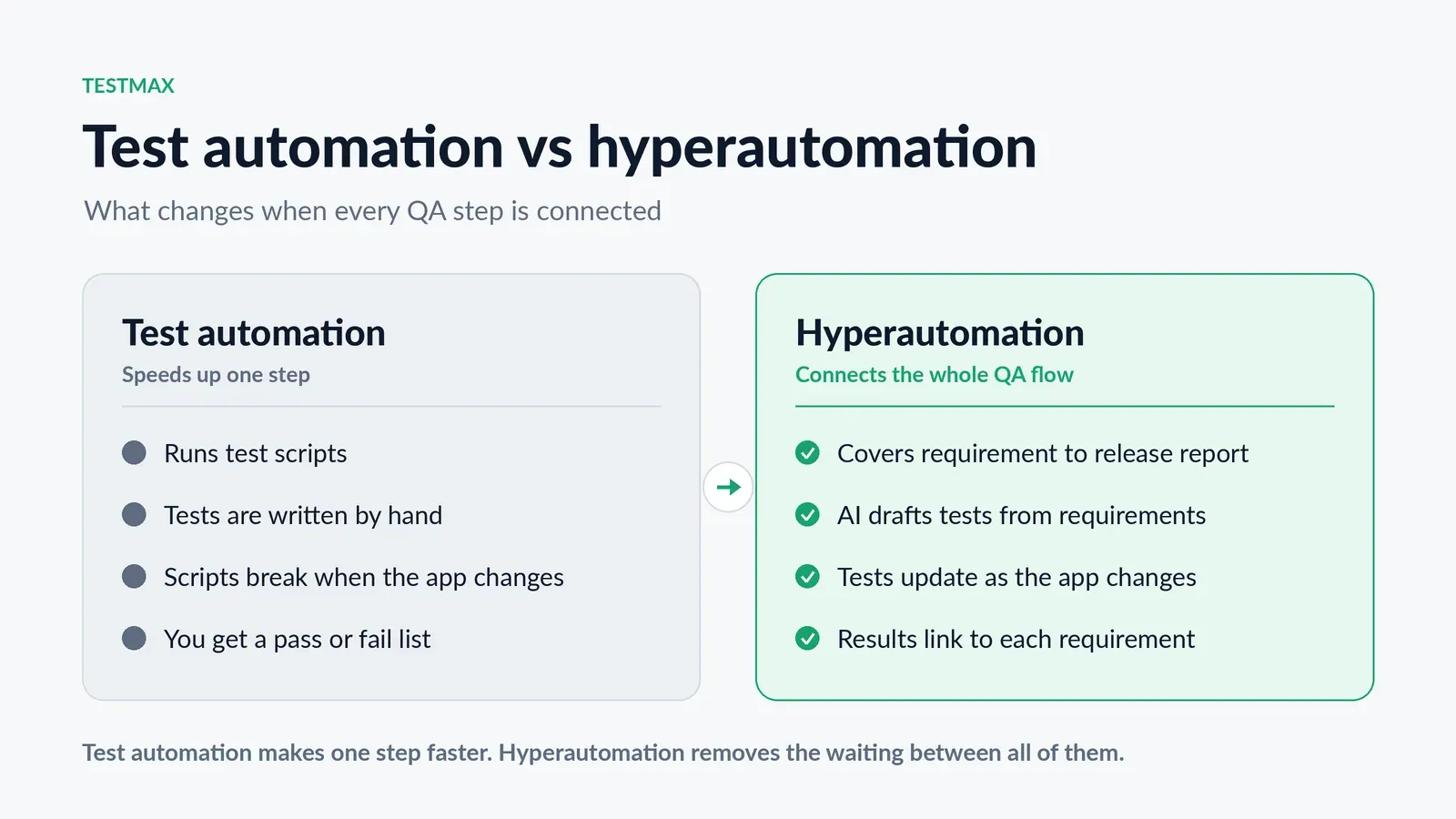
- Fragmented workflows. Requirements, test cases, scripts, test data, execution, and reporting often live in separate tools, so a failing check in GitHub rarely traces back cleanly to the requirement it was meant to protect.
- AI without context. Generating tests from written instructions alone, without any real knowledge of the application, tends to produce fragile scripts that break the moment the UI changes.
TestMax's approach connects the requirement to the application itself: it scans the real app, builds a map of its pages and elements, and uses that alongside the requirement to generate coverage rather than guessing what's on the screen from a written description. The result, in pipeline terms, is fewer false failures from a script that broke because a button moved, and a clearer line from a failing check back to the requirement it came from.
Prerequisites
Before wiring any of this into GitHub Actions, get these in place first:
- A GitHub repository with GitHub Actions already enabled
- A TestMax workspace with the project and its requirements already set up written directly, uploaded from Word, PDF, or CSV, or imported from Jira or Azure DevOps
- Approved test cases converted into automation scripts inside TestMax, since script generation depends on requirements already being in the platform
- Repository secrets configured to hold any credentials the workflow needs, rather than anything hardcoded into a workflow file
Setting Up the Workflow
Create the workflow file. GitHub Actions workflows live as YAML files inside the .github/workflows directory of a repository. A new file here most teams name it something like ai-testing is where the rest of this configuration goes.
Decide when it runs. Most teams trigger this on pull requests and on pushes to the main branch, so nothing merges without being validated first. Running it only on merges to main defeats the purpose by then the code is already in the branch everyone builds on.
Set the job and environment. The workflow needs a defined job and an environment to run in; Ubuntu is the standard choice for most teams along with a step that checks out the current code so there's something to test.
Bring TestMax's automation into the run. TestMax supports exporting generated scripts for use outside the platform, and separately supports customer-managed execution infrastructure rather than only running everything inside TestMax itself.
Between those two, there are two realistic patterns for a GitHub Actions workflow: export the automation TestMax generates and run it directly inside the workflow's own environment, or hand execution off to TestMax and have the workflow wait on and report back the result.
Which one fits depends on whether the team wants execution to happen inside TestMax's infrastructure or inside its own.
Handle credentials securely. TestMax own platform supports secure environment variables and masked secrets for exactly this kind of connection. On the GitHub side, any equivalent credentials the workflow needs should live as encrypted repository secrets and get referenced at runtime, never written directly into the workflow file.
Surface the results. Test outcomes need to show up directly in the pull request's status checks, not buried in a log someone has to go dig up. Most teams configure the workflow to fail the build outright when a test run comes back failing, so a broken change simply can't merge.
Make it a required check. Once the workflow runs reliably, branch protection rules should require it to pass before any pull request merges. Without this step, the whole setup is just a suggestion developers can merge around a failing test whenever they're in a hurry, and eventually someone will.
How TestMax's Testing Lifecycle Fits In
TestMax isn't a bolt-on test runner sitting next to the pipeline; it connects the whole path from requirement to evidence, and a GitHub Actions workflow sits at the execution end of that path. The lifecycle runs in five stages:
- Understand. Requirements are imported, evaluated, and improved structure, clarity, completeness, consistency, and testability before anything downstream is built on them.
- Discover. TestMax scans the real application and builds a map of its pages, fields, controls, and elements, so test design isn't working from a written description alone.
- Design. Structured test coverage is generated using the requirements, project context, and what was found in the application positive flows, negative scenarios, validation rules, and edge cases included.
- Automate and execute. Approved test cases become automation scripts, which can run as individual tests or reusable batches, with live logs and self-healing behavior when the application changes underneath them.
- Prove. Every run produces evidence status, logs, screenshots, and full traceability back through the script and test case to the original requirement.
A GitHub Actions workflow is where stage four output actually gets triggered on a code change, and where stage five evidence shows up as a pass or fail on a pull request.
TestMax shipped integrations today center on Jira and Azure DevOps for requirements and work items, plus script export and support for customer-managed execution infrastructure which is what makes wiring generated automation into a workflow like GitHub Actions possible in practice, even without a dedicated, pre-built GitHub Actions integration.
Best Practices for AI Testing in CI/CD Pipelines
- Test on every pull request, not just merges to main. Catching an issue before it reaches the main branch is the entire point.
- Make the check required, not optional. Through branch protection rules an optional check gets skipped under deadline pressure.
- Keep credentials as encrypted secrets, both in GitHub and inside TestMax own masked secrets never in a workflow file or in plain text.
- Let self-healing do its job before treating a failure as a regression. TestMax execution layer tries alternative element identifiers and rescans the page when the application changes, so a script surviving a UI tweak isn't a bug — it's the point.
- Read failed test reports, don't just re-run them. Some failures are genuine defects; others are outdating test logic that needs correcting, and treating every failure as a flake is how real bugs slip through.
Common Issues and Troubleshooting
- Workflow fails to authenticate: the secret name referenced in the workflow almost never matches what's stored in the repository settings to check that first.
- Tests don't trigger pull requests: the trigger configuration is usually missing the correct branch name or only listens for pushes.
- Exported scripts break more than expected: scripts generated and exported for use outside TestMax lose TestMax's own self-healing behavior once they're running in an external environment worth weighing against handing execution to TestMax's infrastructure directly.
Related reading: what to expect from an AI test automation platform.
Conclusion
A CI/CD pipeline is only as good as the tests running inside it, and most teams never fix that — they just add more automation on top of tests nobody trusts. TestMax answer is to start earlier, at the requirement, and carry that understanding through test design, Automation and execution as one connected lifecycle.
Wiring that into GitHub Actions through exported scripts or TestMax own execution infrastructure means a pull request gets checked against evidence traceable all the way back to the requirement it was meant to satisfy, not just a pass or fail with no context behind it.