TestMax, comparisons and ROI
The Hidden Costs of AI Test Automation Nobody Puts on the Pricing Page
Every AI testing vendor's pricing page looks simple. It rarely is. Implementation time, training, migration, and ongoing maintenance all add real cost that never makes it onto the sales page. Here's what to actually budget for, and what to ask before you sign.
4 min read
Every AI testing company's pricing page looks simple. One monthly price, maybe a cost per person, sometimes a free trial. It looks like something you could decide on in an afternoon.
It usually isn't that simple.
Ask any QA lead who has actually bought and set up one of these tools, and you'll hear a different story. The monthly price was rarely the biggest cost. The real cost showed up in places nobody talked about during the sales call.
This isn't about saying these tools are bad. It's about showing you what the price tag usually leaves out, so you can plan for the real cost, not just the number on the website.
This article is about what you spend. If you want to know what you get back, read our guide on AI testing ROI too.
What the Price Tag Shows You
Most pricing pages show one of these:
- A flat monthly or yearly price
- A price per person using the tool
- Different price levels based on how much you use it
That price is real. It's just not the whole story.
What Shows Up Later
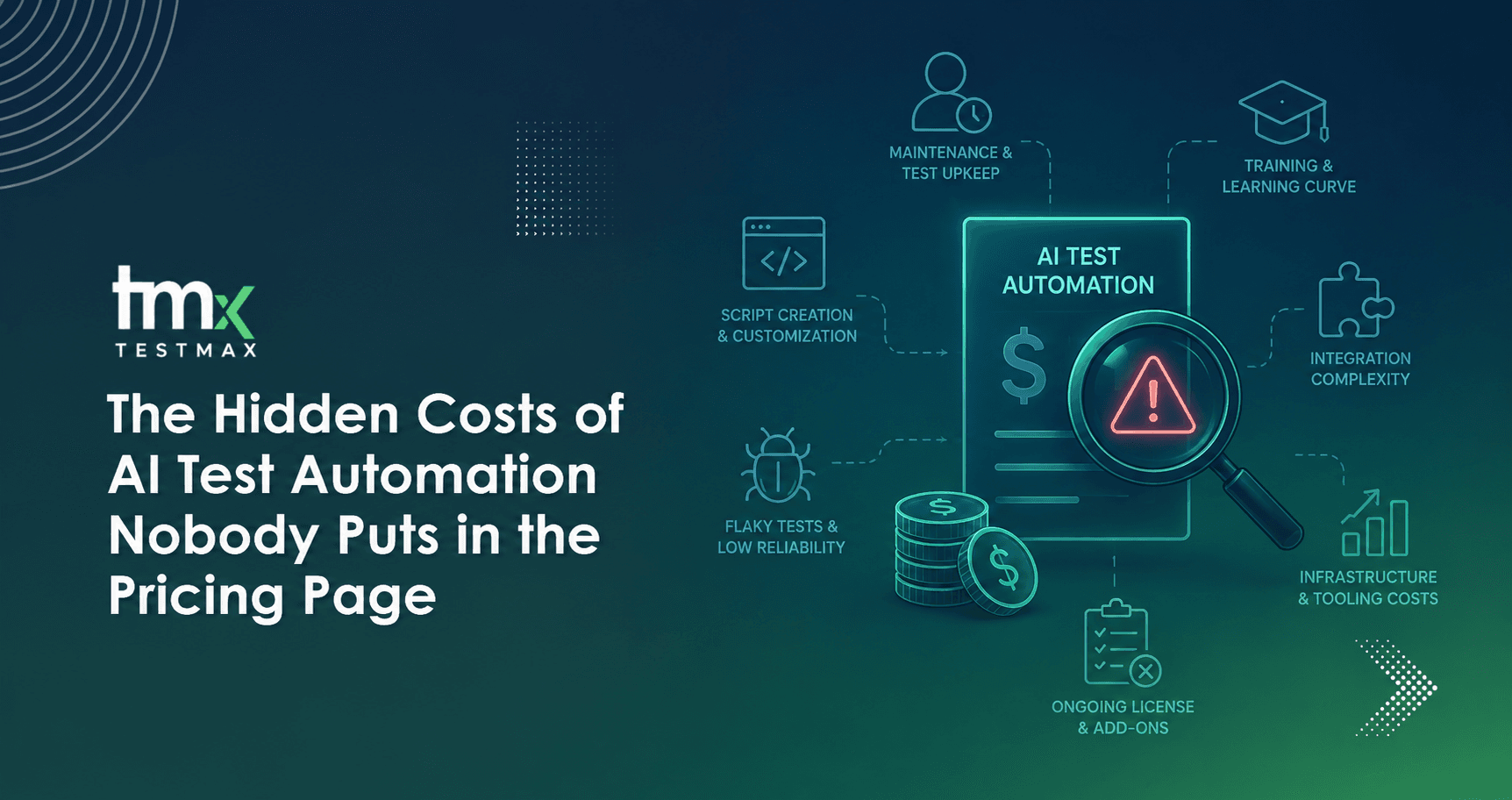
Time to get it set up. Someone on your team has to connect the new tool to your code, your testing process, and your project tools. This takes real hours of work, not a single afternoon. Those hours cost money too, even if it's your own team doing the work.
Time to learn it. A new tool doesn't just start working the moment you buy it. Your QA team has to learn how to use it the right way, and it takes a few months before people trust it enough to stop double-checking everything by hand.
Moving your old tests over. If your team already has a bunch of tests written the old way, someone has to decide which ones to move to the new tool, which ones to rewrite, and which ones to throw out. On a big project, that alone can take weeks.
Keeping it connected. Your code changes all the time. Your tools change too. Someone has to keep checking that the new testing tool still connects properly to everything else. That's an ongoing job, not a one-time task.
Picking the wrong tool. Sometimes a team picks a tool, tries it for months, and then realizes it just doesn't fit how they work. That's months of paying for it, plus all the time spent trying to make it work, plus the cost of starting over with something else.
Support that costs extra. A common surprise: the fast, helpful support you saw during the sales demo is often only available if you pay for a higher plan. The basic plan gets slower help.
Why This Happens
Most of the time, nobody is trying to trick you. A pricing page has limited space, and the real setup cost is different for every company. A five-person startup and a company with 500 engineers will pay very different real costs, even if the price on the website is the same for both.
The real problem is that buyers usually don't ask about these extra costs until after they've already signed up. The sales call talks about the price. The hard questions come later, during setup, when it's too late to easily walk away.
A Simple Comparison
- Base Pricing Page Quote vs. Total Cost of Ownership: What the public price tag advertises versus the unexpected add-ons, platform fees, usage overages, and seat minimums that appear on the actual invoice.
- Per-User/Monthly Rate vs. Internal Setup Hours: Low headline subscription fees versus the hundreds of unbudgeted employee hours spent configuring, migrating, and managing software rollout.
- "Easy to Connect" vs. Integration Reality: The promise of one-click setup versus months of custom API engineering, data mapping, and webhook troubleshooting to link existing tech stacks.
- "Free Onboarding" vs. Paid Implementations: Basic self-serve documentation included for free, while crucial services like custom data migration, dedicated implementation managers, and team training carry mandatory professional service fees.
- Feature Checklist vs. Tier Paywalls: Complete feature lists highlighted in demos, only to discover essential security, compliance, SSO, or advanced analytics features are locked behind high-tier Enterprise plans.
- "24/7 Support" vs. Actual Response Times: Round-the-clock availability that translates to automated chatbots or delayed low-tier ticketing, with fast, human response times gated behind paid dedicated SLA packages.
How to Plan Your Budget the Right Way
If you're planning to spend money on AI testing, do this instead:
- Treat the price you're quoted as the starting point, not the full cost
- Ask exactly how long setup usually takes for a team your size
- Ask what's free during setup and what costs extra
- Set aside time from your own team for this, even if it feels "free," because your team's time still has a cost
- Talk to a real customer using a similar setup, and ask them what their first few months actually looked like
Questions to Ask Before You Sign Anything
- How long does setup usually take for a team our size?
- What's included in the basic plan, and what needs a higher plan?
- Who keeps the tool connected to our systems after setup, us or you?
- Can we talk to a current customer with a setup like ours?
- What does support actually look like on the plan we're paying for, not the fancy one shown in the demo?
If a company answers these clearly, that's a good sign. If they keep the answers vague, that vagueness tells you something too.
The Honest Answer
At TestMax, we'd rather have this conversation with you now than let you find out three months in. Getting requirement-driven testing set up does take real time, connecting it to your systems isn't instant, and we say that clearly before you sign up, not after. Our goal isn't to show the lowest number on a pricing page. It's for the number we quote you to actually be the number you end up paying.
That's a different kind of promise than most companies in this space make. It's worth being a little suspicious of any company that won't make it too.
Related reading: what TestMax is. To see it in practice, book a live walkthrough of TestMax.
Written byAli Hashim, QA AnalystAll articles